

Most WooCommerce stores leave money on the table the moment a buyer asks “can you do anything on price?”
Here’s what typically happens. The customer sends an email. You reply with a number. They go quiet. You follow up once, maybe twice. By the third email you’re not even sure they’re still interested.
That’s not a sales problem. That’s a process problem. And process problems have process solutions.
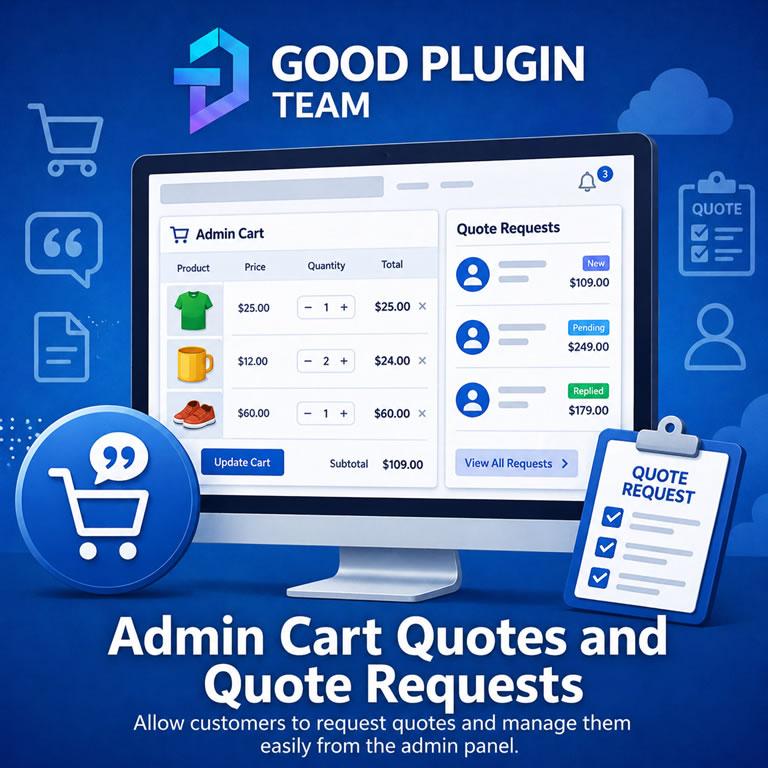
Admin Cart Quotes & Quote Requests gives your WooCommerce store a complete quote workflow. It’s the kind that B2B teams, wholesale distributors, custom product shops, and service-based ecommerce businesses have been building out of spreadsheets and prayer for years.
Here’s how stores that close deals operate
The buyers who spend the most aren’t impulse buyers. They research. They compare. They ask questions. And they want to feel like the deal was made for them specifically. Not pulled off a shelf.
The standard WooCommerce checkout flow wasn’t built for these customers. It assumes a fixed price, a full cart, and a buyer who’s already decided. But your best customers haven’t fully decided yet. They’re evaluating. And the store that sends a clean, professional, expiring quote, with the exact pricing, a personal message, and a one-click path to checkout, is the store they buy from.
That store can now be yours.
Convert a cart to a quote in one click
Build the cart the way you’d build it for any order. Add the products, apply a coupon if you want, configure any product options. Then click Convert to Quote.
The plugin snapshots the entire cart: every product, every variation, every price, every coupon. That snapshot becomes a saved quote with a unique, shareable link. Nothing is lost. Nothing changes on its own. The quote reflects exactly what you agreed to at the moment you created it.
Then you open the quote in the admin and make it yours:
- Set the customer contact. Search existing WooCommerce customers or fill in the details manually.
- Write a customer message. It’s shown on the public quote page. Something personal. Something that makes the quote feel made for them.
- Add a manual adjustment. Choose a fixed dollar discount, a percentage off, or a surcharge. Label it whatever makes sense. “Loyalty discount.” “Volume pricing.” “Custom fabrication fee.”
- Set the shipping terms. Use the live rate, lock in a fixed amount, or mark shipping as included.
- Control the tax line. Hide it, show it as TBD, or display an estimated amount.
- Set an expiration date. Because a quote without a deadline is just a suggestion.
Save it. Send it. Done.
The customer gets a professional quote page. Not a forwarded email.
When you send the quote, the customer receives an email with a link to their personal quote page. What they see there is built to close:
- Their name, your message, and the full quote breakdown laid out cleanly.
- An Accept Quote button and a Decline Quote button, if you choose to show them.
- A Load Quote into Cart button that does exactly what it says. It replaces their current cart with your quote items at your quoted prices, locked in through checkout.
When the customer loads the quote into their cart, the pricing is protected. They can’t change quantities. They can’t swap items. The discount or adjustment you offered them is baked into the item prices. What they see at checkout is exactly what you agreed to.
No surprises. No re-negotiation at the cart page. The deal you made is the deal that processes.
The follow-up problem is solved automatically
Most quotes die in silence because nobody followed up. Or somebody followed up once and then let it drop. Or the follow-up was so generic the customer deleted it without reading it.
Admin Cart Quotes & Quote Requests has a built-in follow-up engine.
Turn on the follow-up schedule and set a frequency. Say, every three days. After the initial quote email goes out, the plugin sends follow-up emails on that schedule automatically. Regular follow-ups stop the moment the customer buys, declines, or the quote expires. Nobody gets badgered after they’ve already said yes.
There’s more:
- Pre-expiration reminder. Send one email a set number of days or hours before the quote expires. Create urgency without pressure.
- Post-expiration email. If the quote expires without a response, send a final email inviting the customer to request an updated quote.
Every follow-up email is fully templatable. Every quote can override the global schedule with its own custom timing and copy. You can write the emails for your brand, with placeholders for the customer’s name, the quote number, the quote link, the total, and the expiration date. All filled in dynamically per quote.
Each user who sends quotes can set a personal email signature in their WordPress profile. That signature drops into every email that goes out under their name.
Some customers want to ask before they add to the cart
Not every buyer starts from a cart. Some buyers are browsing, looking at a product they’re interested in, and the price isn’t something they want to commit to yet. They want to ask.
The Request a Quote feature adds a button to your product pages and/or shop archive listings. When a customer clicks it, a modal form appears with the product name already filled in. They enter their name, email, and a message. They submit it. They get a confirmation. The button on the product page changes to show their request was received.
On your end, a new quote request appears in Quotes > Quote Requests. You can review it, see the product they asked about, read their message, and click Build Quote. That sends you directly to that product’s page with a session flag set, so your next cart-to-quote conversion links automatically back to their request.
Quote request settings give you full control:
- Show the button on product pages, archive pages, or both.
- Require phone numbers. Require a message. Or keep the form minimal.
- Restrict requests to logged-in customers only.
- Set a custom success message.
- Send an automatic reply email to the customer confirming receipt.
- Assign incoming requests to specific staff members, or distribute them round-robin across a recipient list.
- Get notified by email when a new request arrives.
Spam protection is built in: a honeypot field, rate limiting by email and IP, browser-side cooldown with a countdown timer, and optional Google reCAPTCHA.
Your sales team has a real tool now
Admin Cart Quotes & Quote Requests adds two custom WordPress user roles designed specifically for sales staff.
Sales Reps can log in, see only their own quotes, create new ones, and send emails. Their WordPress admin is stripped down to just the Quotes area. No plugins panel, no site settings, no distraction. Just their pipeline.
Sales Managers can see their own quotes plus every quote created by the Sales Reps in their management group. Admins and Shop Managers see everything.
The Quote Management Groups system lets you define exactly who manages whom. Which reps report to which managers, and which admins or store managers get notified when a quote in a given group is accepted, declined, or converted to an order.
Visibility permissions control which roles can see all quotes versus only their own. Creation permissions control which roles can create quotes. Email permissions control whose email address appears as the sender. Each permission tier is independently configurable.
When a manager sends a quote on behalf of a rep, they can choose which email address the quote comes from. Their own, the rep’s, or any other authorized user in the system.
The Email Queue page shows you exactly what’s in motion
Every quote with active follow-up emails appears in Quotes > Email Queue. The table shows you the quote, the customer, the queue status (queued, due now, stopped), what type of email sends next, when it sends, and how long until it fires.
No guessing. No checking email logs. No wondering if the follow-up went out.
Administrators and Shop Managers can also click Process Queue Now to manually trigger the queue at any point. This is useful for testing, or for stores with less-frequent WordPress cron runs.
Built for the way WooCommerce actually works in 2025
- Compatible with both classic WooCommerce cart and the WooCommerce Cart Block.
- Compatible with High Performance Order Storage (HPOS).
- Fixed shipping amounts flow through Blocks checkout correctly. No fallback to live rates.
- Quoted item prices, discounts, and adjustments are locked into the cart through checkout and preserved in the created order.
- Quote coupons are applied as native WooCommerce coupons during checkout. No fee hacks, no gateway compatibility surprises.
- Activity logs on every quote show exactly what happened and when.
- A debug panel on each quote shows raw captured cart data for troubleshooting custom product configurations.
Requirements
- WordPress 6.7 or higher
- WooCommerce 8.5 or higher
- PHP 8.1 or higher
- An active license from goodpluginteam.com
The stores that win on price-sensitive, high-consideration purchases aren’t the ones with the lowest prices. They’re the ones with the most professional, most responsive, most frictionless sales process. That’s what this plugin builds.
Reviews
There are no reviews yet.